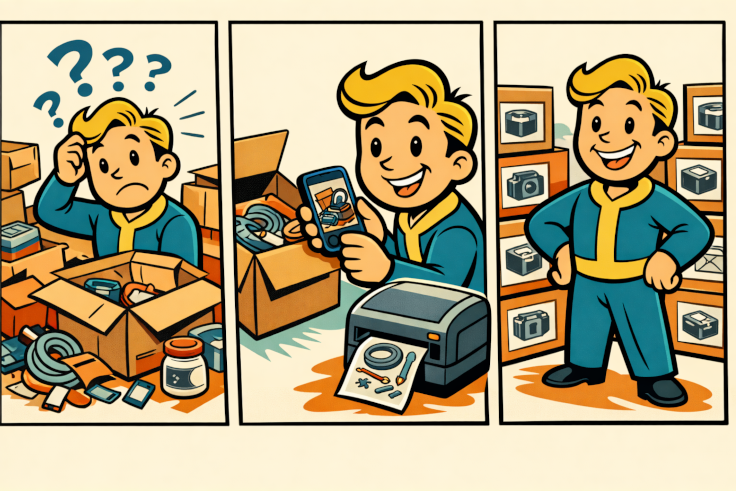
The idea started with a very ordinary problem. I had accumulated a growing number of boxes, containers, and temporary storage bins, all meant to hold things “just for now.” A few days later, I often could not remember what was inside. Text labels helped, but not always enough. In many cases, a quick glance at a photo was far more useful than reading another short description.
So I set out to build something simple and practical: take a photo on a phone, print it on a self-adhesive label, and place it directly on the box.
From the beginning, I was not interested in creating a large or complicated system. The goal was to make a tool that would genuinely help in day-to-day work. I also wanted to avoid a workflow that required returning to a computer after every photo. The phone was meant to be only the front end: a convenient way to capture an image. Everything more demanding, including image preparation and printing, would happen automatically on a Linux server connected to a Brother QL-810W label printer.
That decision made the whole process much simpler. In the end, the workflow came down to just a few steps: take a photo, choose a preview, print the label, and stick it on.
What made the project especially interesting was the role AI played in building it. Not in the exaggerated sense of pressing a button and having a finished product appear, but as a steady and surprisingly effective development partner. AI helped sketch the architecture, organize the API, propose iterations for the Android app, and speed up countless small design decisions along the way.
That changed the pace of the work. Instead of getting stuck on each individual choice, I could test ideas quickly, refine them, and turn them into working parts of the system much faster than I would have on my own.
The hardest part turned out not to be sending the photo from the phone. The real challenge was making sure that what the user saw before printing matched what would appear on the final label. The preview frame had to stay aligned with the actual crop. The black-and-white image processing pipeline had to produce clean, readable results. And the app needed several preview variants so the best version could be selected before printing.
This was where AI proved most useful. It was particularly effective during fast iteration: improving small details, correcting mismatches, and suggesting simpler approaches when the first version did not yet deliver the result I wanted.
Over time, the project evolved from a small experiment into a polished and genuinely useful tool. The Android app shows the label frame while the user is taking the photo. After capture, it presents several processed versions of the image for review. On the backend, the server prepares the final print output for the label printer.
The result is not photo printing in the traditional sense. It is something much more specific and, for this use case, much more valuable: a fast system for producing self-adhesive photo labels. That practical focus turned out to matter most. The real success of the project was not technical perfection for its own sake, but a tool that saves time in everyday use.
That, perhaps, is one of the most useful things AI can offer. Not just impressive demos or flashy results, but the ability to help build small, effective tools that solve recurring real-world problems. If you have a minor frustration that keeps returning in your work, workshop, or home setup, it is now far easier than it was a few years ago to turn that annoyance into working software.
In my case, the result was a system for labeling boxes and containers with photos. It may sound like a small improvement. But in everyday life, it is often exactly those small improvements that make the biggest difference.